Face Swap

Replace a face in a photo with AI face swap

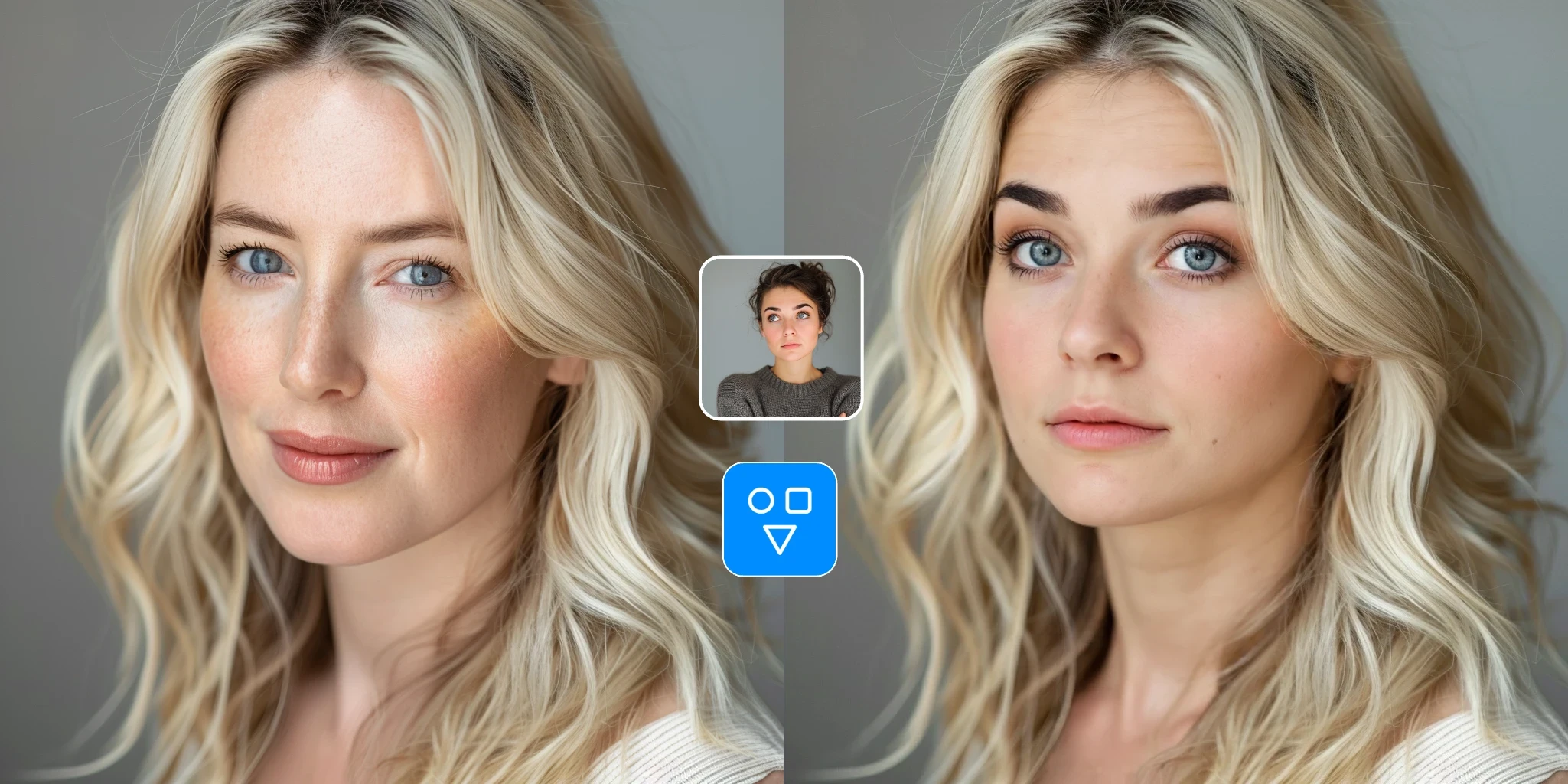
Upload the source face you want to use and the target photo you want to change. FaceSwaply exchanges the face while preserving the target pose, framing, and background.

Face swap examples and sample target photos

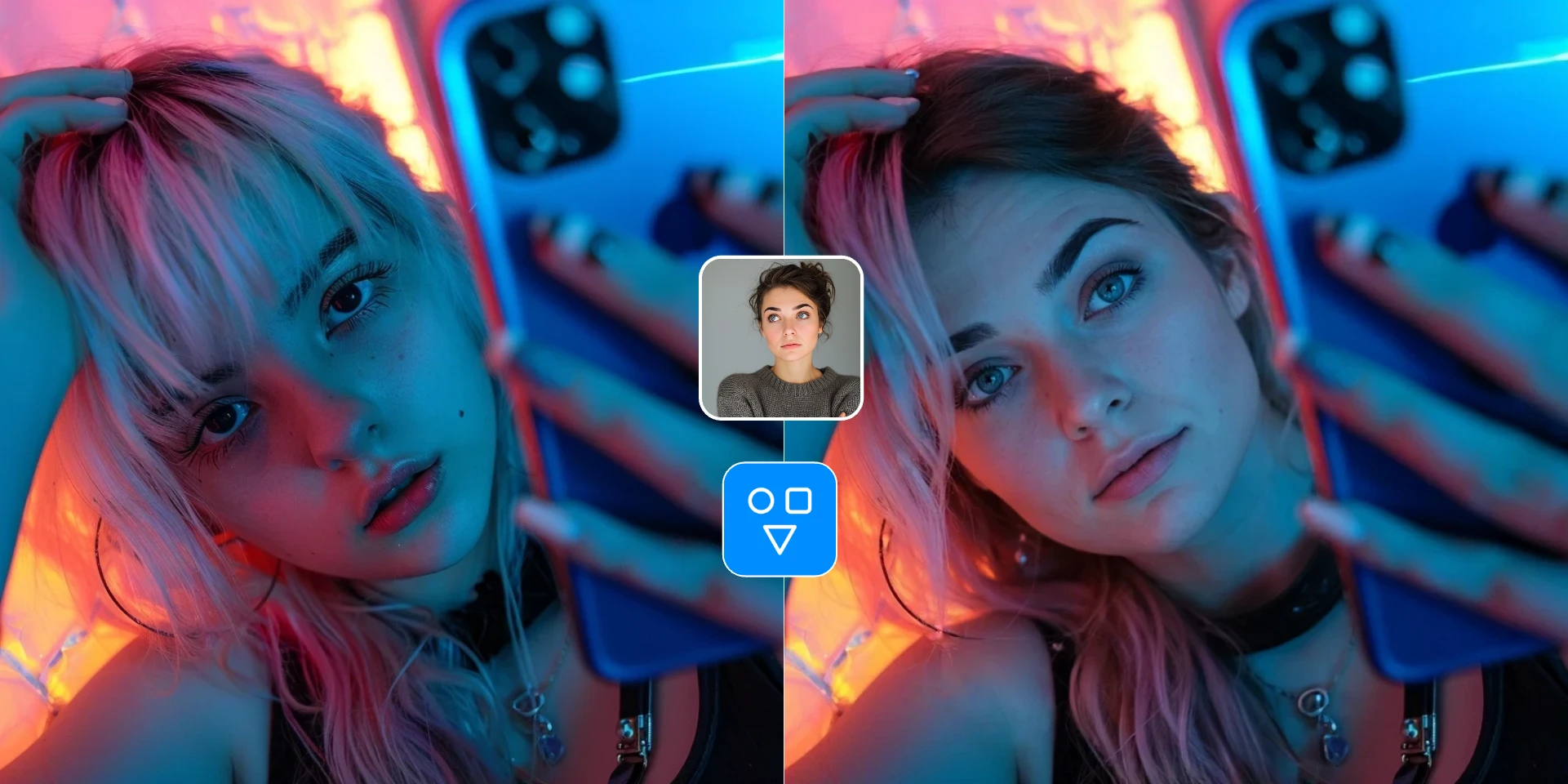
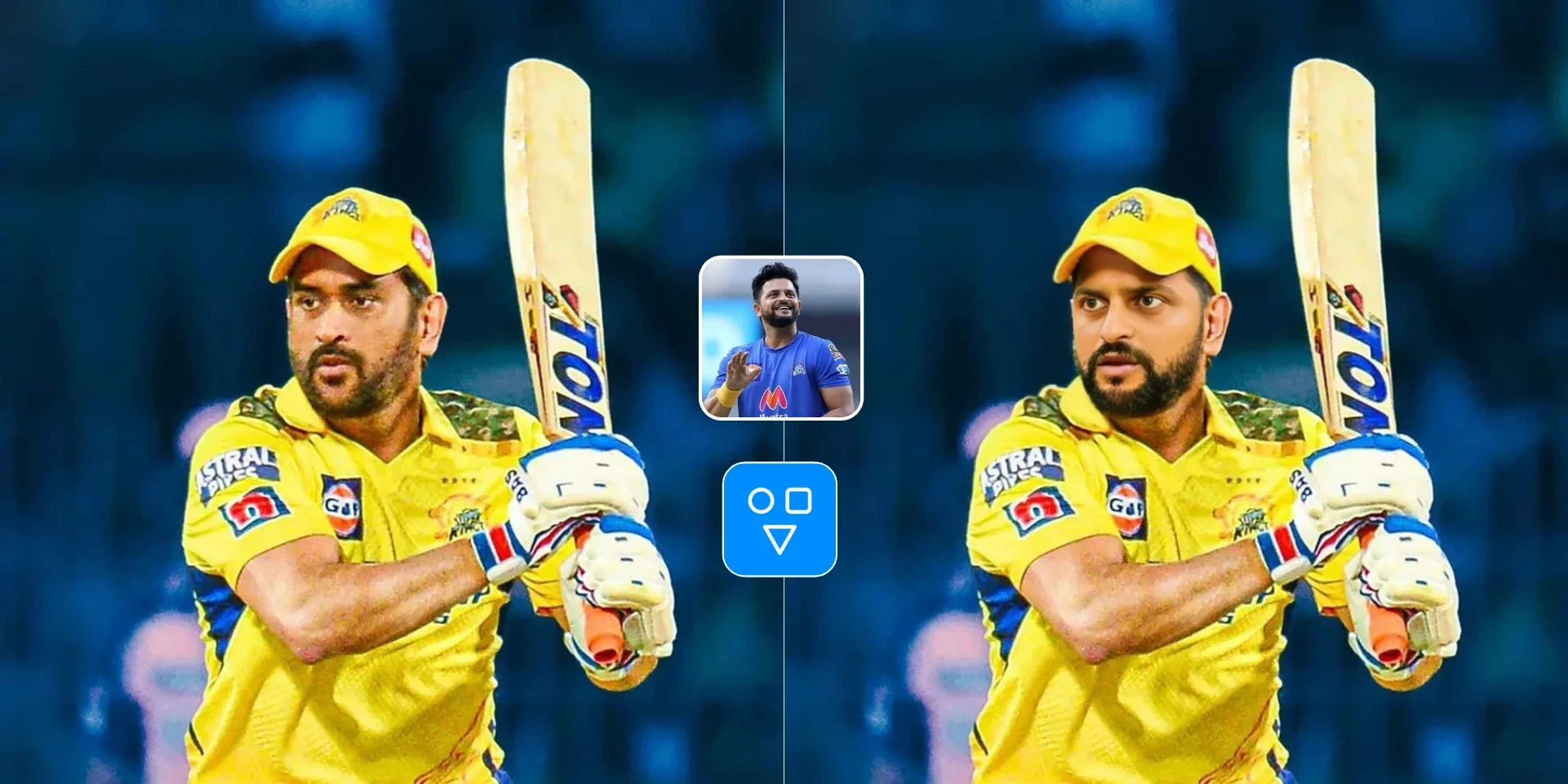
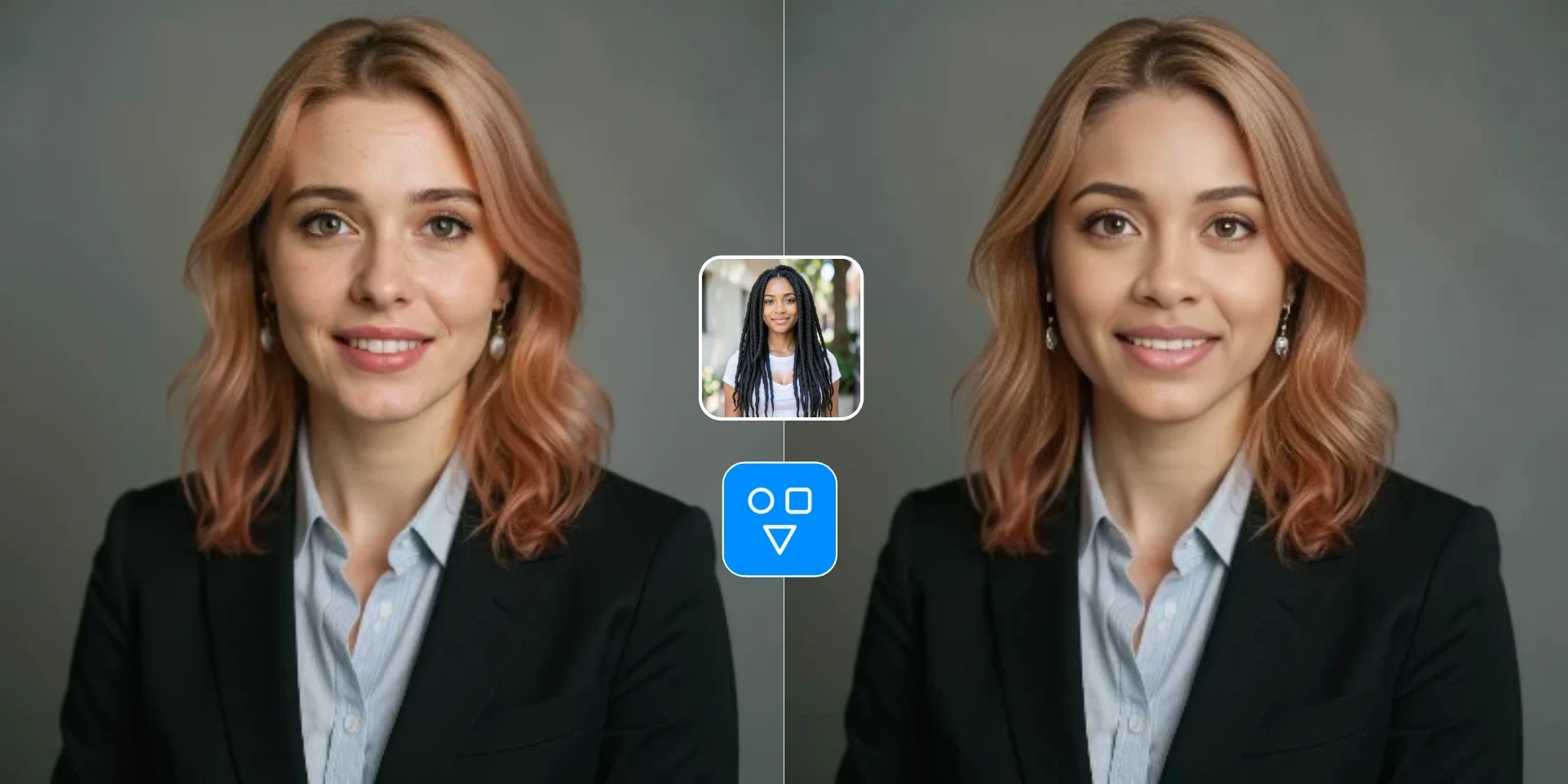
Review portrait, selfie, profile, and creative examples, then load a sample target image in the tool or upload your own two-photo pair.

Swap faces with two simple uploads

Upload the face you want to use, upload the photo you want to edit, and let FaceSwaply create the swap for you.

  • One face photo
  • One target photo
  • One ready-to-download result
Swap Faces
Face swap example

Easy to understand from the start

Each upload area is clearly labeled, so you always know which photo provides the face and which photo keeps the pose and background.

  • Clear source and target labels
  • No prompt writing
  • Simple review before download
Swap Faces
Face swap example

Made for quick photo edits

Use it for profile pictures, fun edits, social posts, and creative mockups when you want a fast result from two photos.

  • 1 credit per run
  • Fast online generation
  • Download when it's ready
Swap Faces
Quick face swap edit example

Clean up the face if needed

If the swapped face looks a little soft or blurry, open Restore Face to sharpen details and improve the final look.

  • Improve soft facial details
  • Sharpen eyes and skin texture
  • Continue to Restore Face
Swap Faces
Face swap cleanup example

Why use FaceSwaply for photo face swap

The page is built for a fast two-photo workflow with clear controls, visible credit cost, and privacy guidance before generation.

Two uploads, no manual masking

Add the source face and the target photo, then let the AI create the swap without Photoshop, layers, or prompt writing.

Designed for quick creative testing

Try profile ideas, social images, thumbnails, and personalized photo variations without rebuilding the same edit by hand.

Clear credit cost on the main button

The primary action shows the estimated credit cost before you start, and credits are consumed only after a successful result.

Consent reminder built into the workflow

The upload area reminds you to use only photos you are allowed to use, with more detail available from the privacy popover.

Popular ways to use Face Swap

Face Swap works best when you already have two photos and want a quick, realistic result without manual editing.

Profile photo ideas

See how a different face looks in a portrait or profile-style image before you use it anywhere else.

Personalized photo variations

Reuse the same photo setup and swap in different faces to make quick personalized versions.

Fun social content

Make face-swapped images for posts, jokes, thumbnails, and other creative ideas you want to try fast.

Face swap templates and checklists

Choose a template for the scene you want to create

Use a scene template to plan the target photo, review input requirements, and return to the same Face Swap tool for profile, social, event, entertainment, or campaign edits.

Profile picture

Create profile picture face swap for Profile picture images, social sharing, and creative drafts with two photos, practical quality checks, and responsible sharing guidance.

View scene
Meme

Create meme face swap for Meme images, social sharing, and creative drafts with two photos, practical quality checks, and responsible sharing guidance.

View scene
Couple

Create a couple face swap from two photos. Replace one clear face in a romantic, funny, anniversary, or partner portrait and review it before sharing.

View scene
Wedding

Create wedding face swap for Wedding images, social sharing, and creative drafts with two photos, practical quality checks, and responsible sharing guidance.

View scene
Headshot

Create headshot face swap for Headshot images, social sharing, and creative drafts with two photos, practical quality checks, and responsible sharing guidance.

View scene
Cosplay

Create cosplay face swap for Cosplay images, social sharing, and creative drafts with two photos, practical quality checks, and responsible sharing guidance.

View scene
Movie poster

Create movie poster face swap for Movie poster images, social sharing, and creative drafts with two photos, practical quality checks, and responsible sharing guidance.

View scene
Social media

Create social media face swap for Social media images, social sharing, and creative drafts with two photos, practical quality checks, and responsible sharing guidance.

View scene
Gaming avatar

Create gaming avatar face swap for Gaming avatar images, social sharing, and creative drafts with two photos, practical quality checks, and responsible sharing guidance.

View scene
Birthday

Create birthday face swap for Birthday images, social sharing, and creative drafts with two photos, practical quality checks, and responsible sharing guidance.

View scene
Family photo

Replace one clear face in a family or group photo for private keepsakes, holiday card drafts, and playful portraits. Use authorized images and review before sharing.

View scene
Marketing creative

Create marketing face swap for Marketing creative images, social sharing, and creative drafts with two photos, practical quality checks, and responsible sharing guidance.

View scene

What to try next

More ways to improve this photo

Choose the next step based on what you want to fix after a face swap.

How to swap faces online

Upload two photos, run the face swap, and download the result from the same page.

Upload the source face

Choose a clear face photo with good lighting and visible facial features.

Upload the target photo

Add the photo you want to edit. The target photo keeps the pose, framing, and background.

Swap faces and save the result

Run the face swap, check the result on the page, and download the image when it looks right.

Good to know

Face Swap at a glance

Better results

Use a clear, well-lit face photo and a target image with a visible, unobstructed face.

When to use it

Best when you already have a face photo and target image and want the fastest swap.

Face Swap FAQs

Answers about how to swap faces, what photos work best, privacy, credits, and how to fix a soft result.

Replace a face using two photos

Upload one source face and one target photo to exchange the face, review the result, and download your finished image.

Start for freeAdvanced modelsCommercial license